
Sell Smarter: Why ISBN Matters and How to Bundle a Series in One Click
AI can get the title right and still get the edition wrong. Here's why ISBN verification matters before you list — and how TroveScore turns a stack of series books into a single, ready-to-publish eBay bundle.
The Hidden Risk of AI Book Identification
AI has gotten remarkably good at recognizing books from a photo. Point a camera at a cover, and most of the time it'll tell you exactly what you're looking at. But "most of the time" isn't good enough when you're selling.
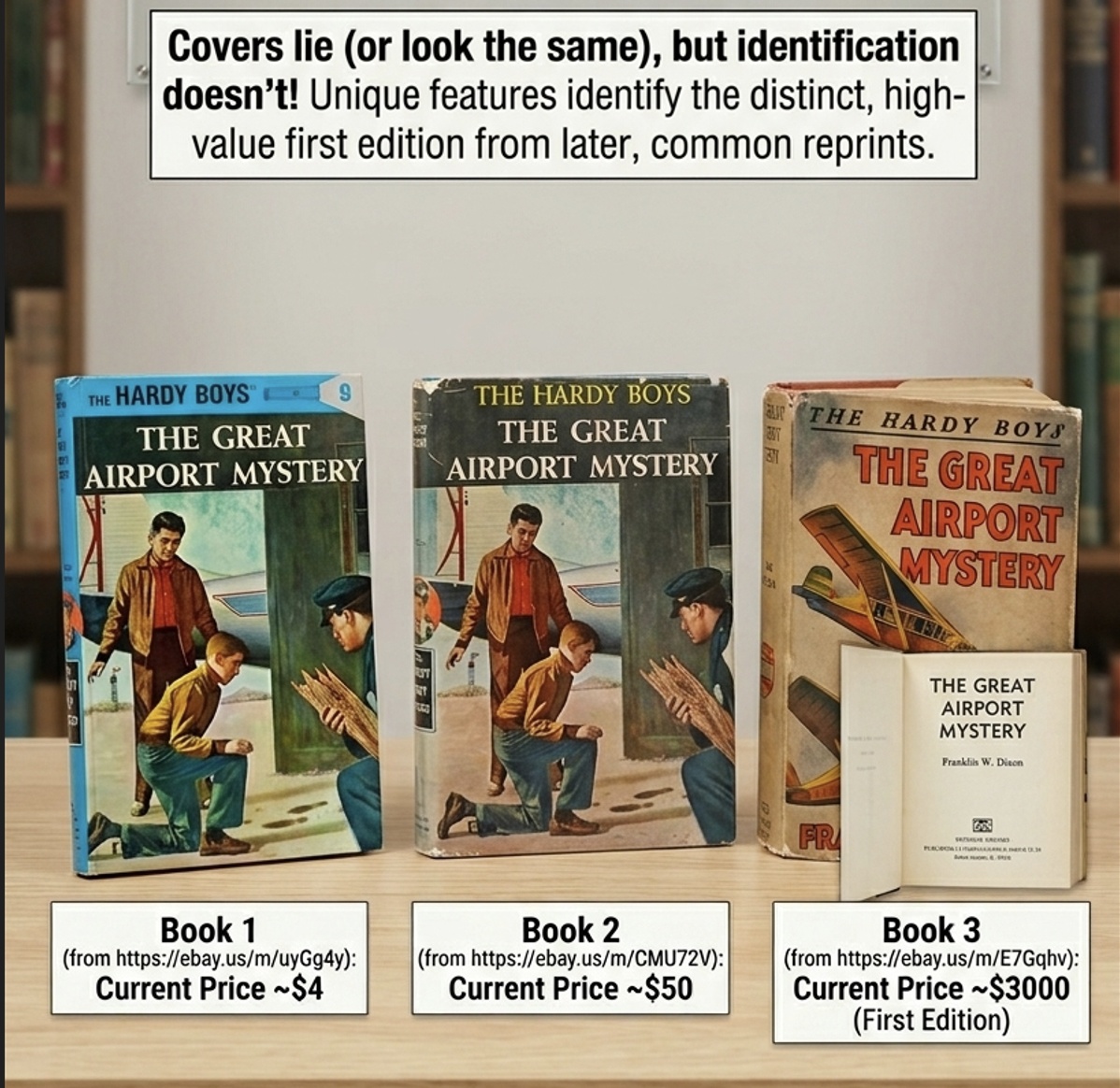
Here's the problem: many books share near-identical covers across editions — different years, different publishers, different page counts, same artwork. An AI might confidently identify The Fellowship of the Ring from a photo, but miss that yours is a 1965 first-edition hardcover versus a 2001 movie tie-in paperback. Those aren't the same product, and a buyer who paid for one won't be happy receiving the other.
The fix is simple: always verify the ISBN.
The ISBN is the barcode on the back of your book. It's edition-specific and unique — no two editions share one. When TroveScore scans a barcode directly, the identification is exact. When it identifies by cover alone (no barcode visible), it makes its best inference from what it can see. For selling, that distinction matters. Before you publish a listing, confirm the ISBN matches the physical book in your hand.
A brief history worth knowing: before 1970, there was no universal way to identify a book. Publishers, libraries, and distributors each used their own proprietary or national systems — a patchwork that made cataloguing and ordering a mess. The 10-digit ISBN (ISBN-10) was introduced in 1970 to solve that. In 2007, the industry migrated to the 13-digit ISBN-13, aligning with the broader EAN barcode standard used across retail. Books published before 1970 often have no ISBN at all, which is one more reason cover-based AI identification can go wrong on older titles.
Selling a Series? Do It Right — Together
Now for something that'll save you real time if you sell series books.
TroveScore automatically detects which series a book belongs to — and its number in that series — the moment you scan it. Whether it reads it from the barcode metadata or infers it from the cover, it slots each book into the right place in the sequence.
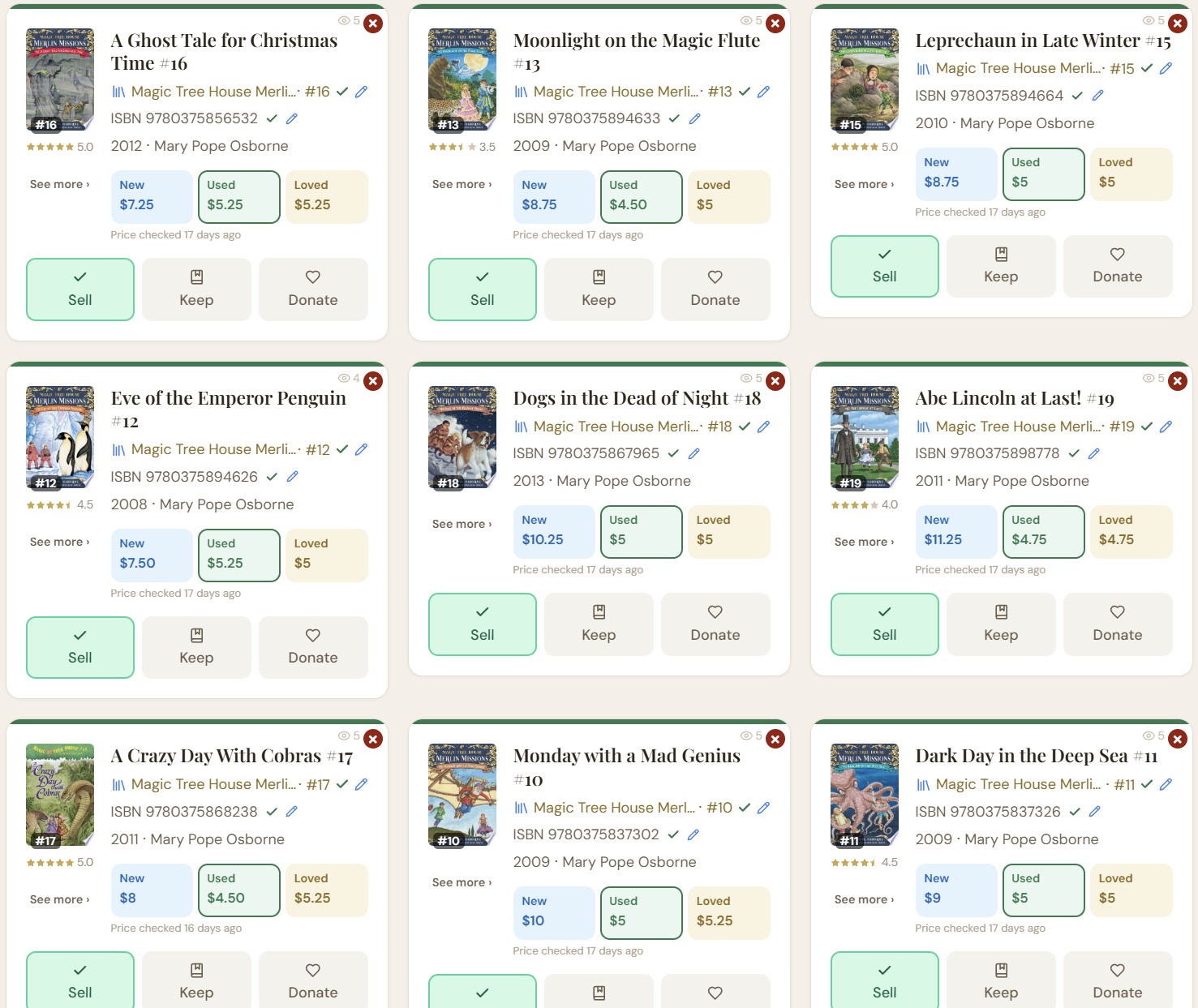
If the AI got a number wrong, you can fix it in one tap. Tap the book, edit the series name or number, and save. TroveScore marks your correction so it's not overwritten.
Once your series books are in order, tap the series name on any of them. You'll see your full collection laid out — owned books, and greyed-out gaps for entries you don't have. From here, hit "Sell all as one eBay bundle" to list the whole set together.
TroveScore automatically builds a cover collage from your books' cover images — layered, sorted by series number, and ready to use as your listing photo. No design tool needed.
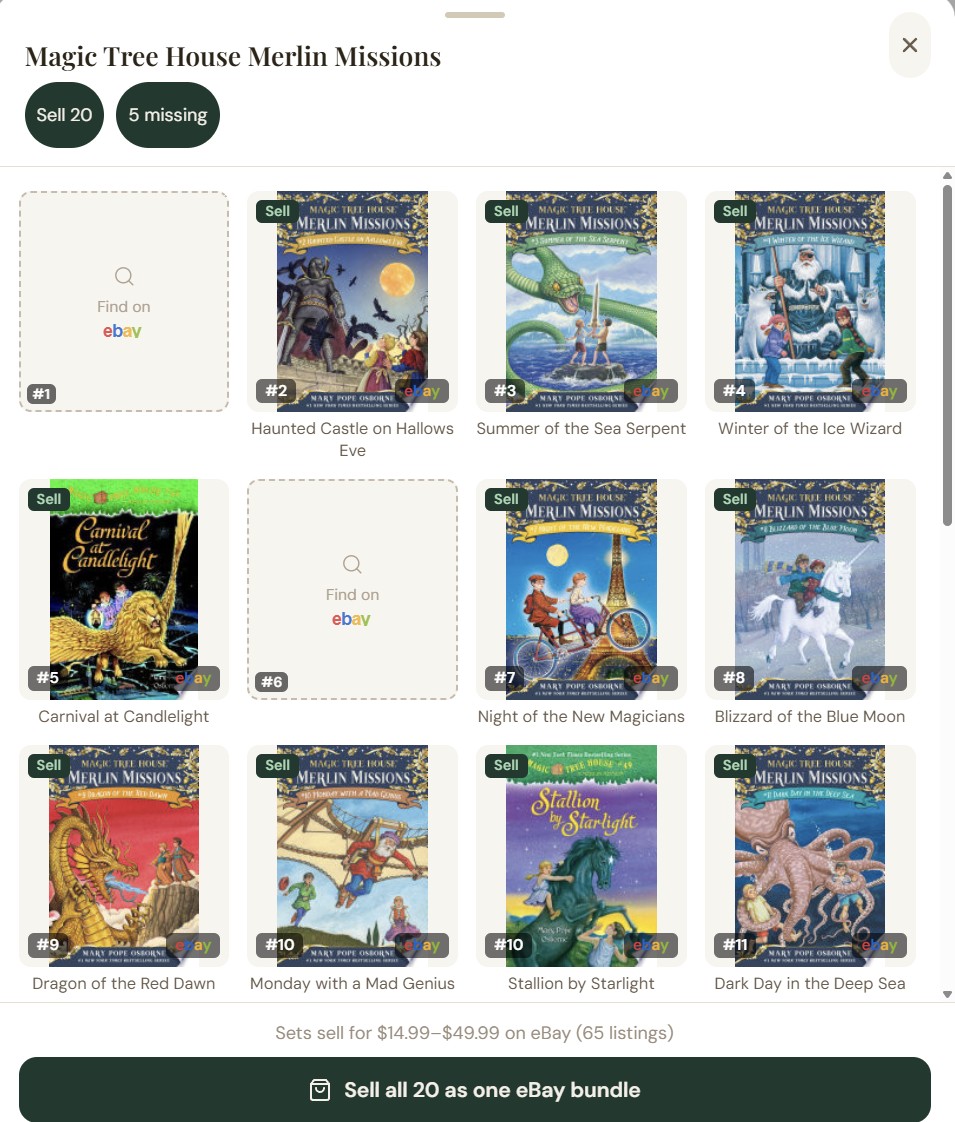
Bundling a series gets it in front of buyers who want the complete set — often the most motivated buyers — and clears your shelf in one transaction instead of four.
Ready to scan your shelves and sell smarter? TroveScore identifies your books, sorts your series, and gets you to a listing in seconds — free, no account needed.
Scan your shelf — free, no account →Frequently Asked Questions
Can AI accurately identify books from a photo?
AI is good at identifying books from cover photos but can misidentify editions — especially when covers look similar across printings. Always confirm the ISBN before listing a book for sale.
What is an ISBN and why does it matter when selling books?
An ISBN (International Standard Book Number) is the barcode on a book's back cover. It's unique to each edition — hardcover vs. paperback, first print vs. revised — so it's the most reliable way to confirm exactly which book you have before listing it.
How does TroveScore detect book series?
TroveScore uses AI to read series information from the book's cover and barcode metadata, then cross-references it with catalog data from Google Books and OpenLibrary. You can review and correct the series name and number with a single tap.